
Rearrange Clips Without Wrecking the Rest of the Edit
You drop a clip in and the music track splits around it. You lock the music, and…
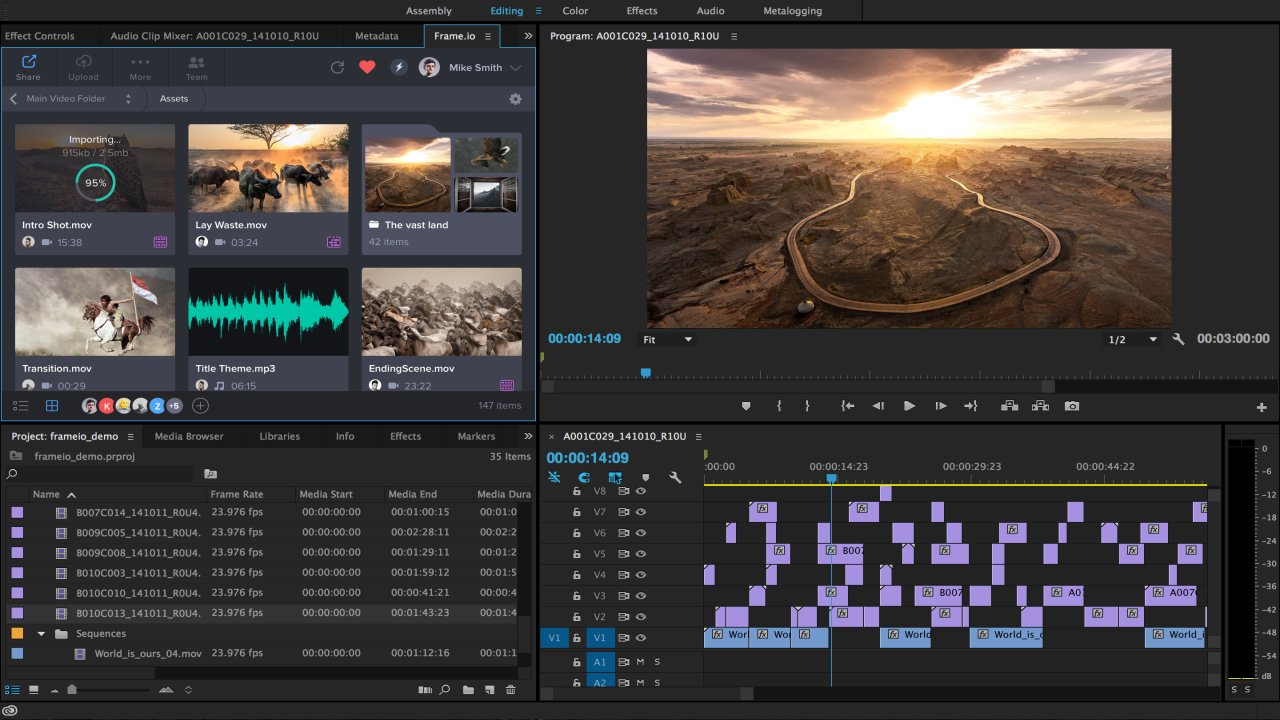
You drop a clip in and the music track splits around it. You lock the music, and then the sound effects and the b-roll drift away from the picture. Rearranging feels expensive because every track is trying to protect a different thing.
Decide what is allowed to move
Sync Lock is the switch on the track header. Tracks with it on will ripple when you insert or ripple-delete on another track. Tracks with it off stay where they are, and a ripple can pull the picture away from them. Lock is stronger. A locked track cannot be edited at all, so an insert will not cut a hole in it.
For a rearrange, lock the music. Leave Sync Lock on for the dialogue, the effects that belong to the picture, and the b-roll. Insert the new clip, or ripple-delete the one you are pulling out. The song stays continuous. The picture tracks stay in sync with each other. You fix the music later, in one pass, instead of repairing it after every move.
The other order of work
Cut the music the way the scene should feel, lock that track, and edit the picture around it. This is the better order when the song is the spine, as it is in a montage or a short brand film. It is the worse order for an interview, where the words decide the length and the music has to give.
Overwrite, the period key, drops a clip on top of what is there and does not shove later clips down. Use it when the timing is finished and you are only replacing a shot. Use insert when you are still finding the order. Most of the pain comes from inserting into a timeline that was already timed.
